
[Open Source Story] Abandoning Heavy 3D: How I Rebuilt My School Library Seat Selection System with LeaferJS
2026-03-30 Author: Seeridia
Introduction
Hello everyone, I’m Seeridia, a student developer.
As a frequent “power user” of the library, I interact with the school’s seat selection platform every day. But honestly, the experience was quite frustrating: all I wanted was to find a seat, yet I had to stare at a loading animation for dozens of seconds.
This gap in user experience became my motivation to rebuild the platform using LeaferJS.
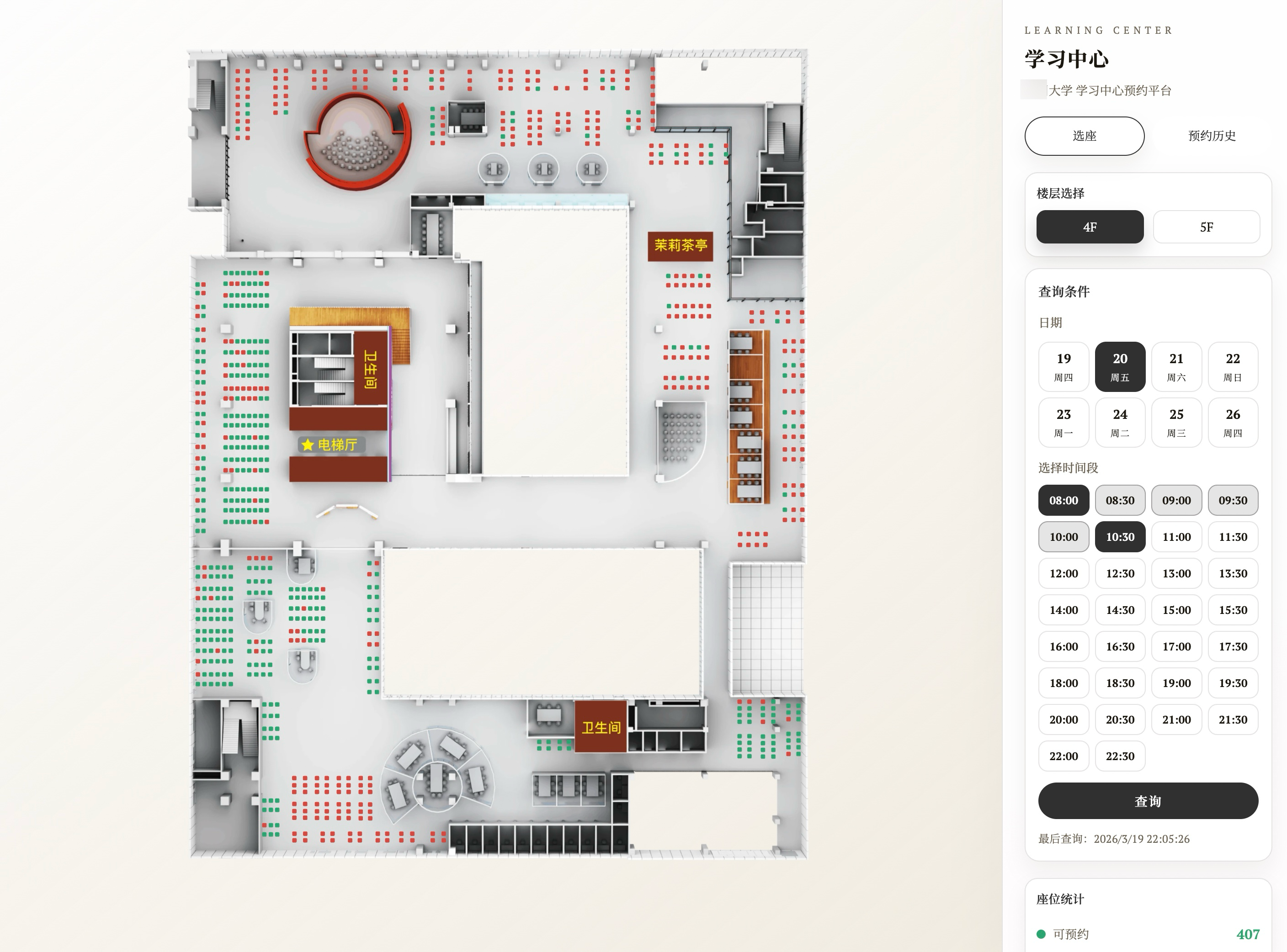
Why Was the Original Experience So “Laggy”?
The school’s original seat selection platform was actually quite “advanced”—it used fully 3D map modeling. However, in real-world usage, several problems emerged:
- Resource Redundancy: The system loaded large 3D model data, but for seat selection, we only needed a top-down view—a 2D perspective. Users had to endure long loading times for unnecessary 3D effects.
- Rendering Bottlenecks: The original Canvas rendering performance was not ideal. Zooming or dragging the map to find a seat felt slow and laggy, which greatly affected the experience.
As a student user, I wanted a more direct solution: open instantly, smooth zooming and panning, and quickly find available seats.
Tech Stack: Why Choose LeaferJS?
After comparing several options, I chose LeaferJS. For me, it stood out for two main reasons:
- Better Rendering Performance: It’s perfect for scenarios like “floor plan + large number of seat points,” delivering very smooth interactions.
- Easy to Use Out of the Box: It feels like “writing Canvas with a frontend UI mindset,” making it very easy to get started.
Compared to dealing with the complexity of native Canvas APIs, LeaferJS allows me to organize graphics, events, and interactions more naturally. I could focus more on the product itself rather than low-level rendering details—making it especially friendly for student developers and beginners.
Breaking Through: How Did I Solve the Problem?
My core approach was to first “slim down,” then “rebuild”:
- Data Remapping: I parsed the original system’s 3D map data and remapped it into 2D coordinates that better fit the seat selection use case.
- Efficient Rendering & Interaction: Based on that, I used LeaferJS to draw the floor plan and seat points. Thanks to its built-in viewport interaction capabilities, I could easily implement map display, zooming, and panning—making the entire experience lightweight and intuitive.
Final Result
The final version is significantly faster than the original platform. The map loads instantly and aligns better with real user habits.
By transforming the heavy 3D map into a 2D visualization, users can more directly view seat distribution and locate available spots. For me, LeaferJS not only improved rendering efficiency but also enabled me to build a truly usable graphical product with a relatively low learning curve.
If you feel that a tool around you is too “heavy,” maybe it’s worth trying to make it lighter yourself.