
Render Lifecycle
From element creation to completed rendering, a series of steps occur including data changes, render requests, layout, and rendering—forming a complete rendering lifecycle.
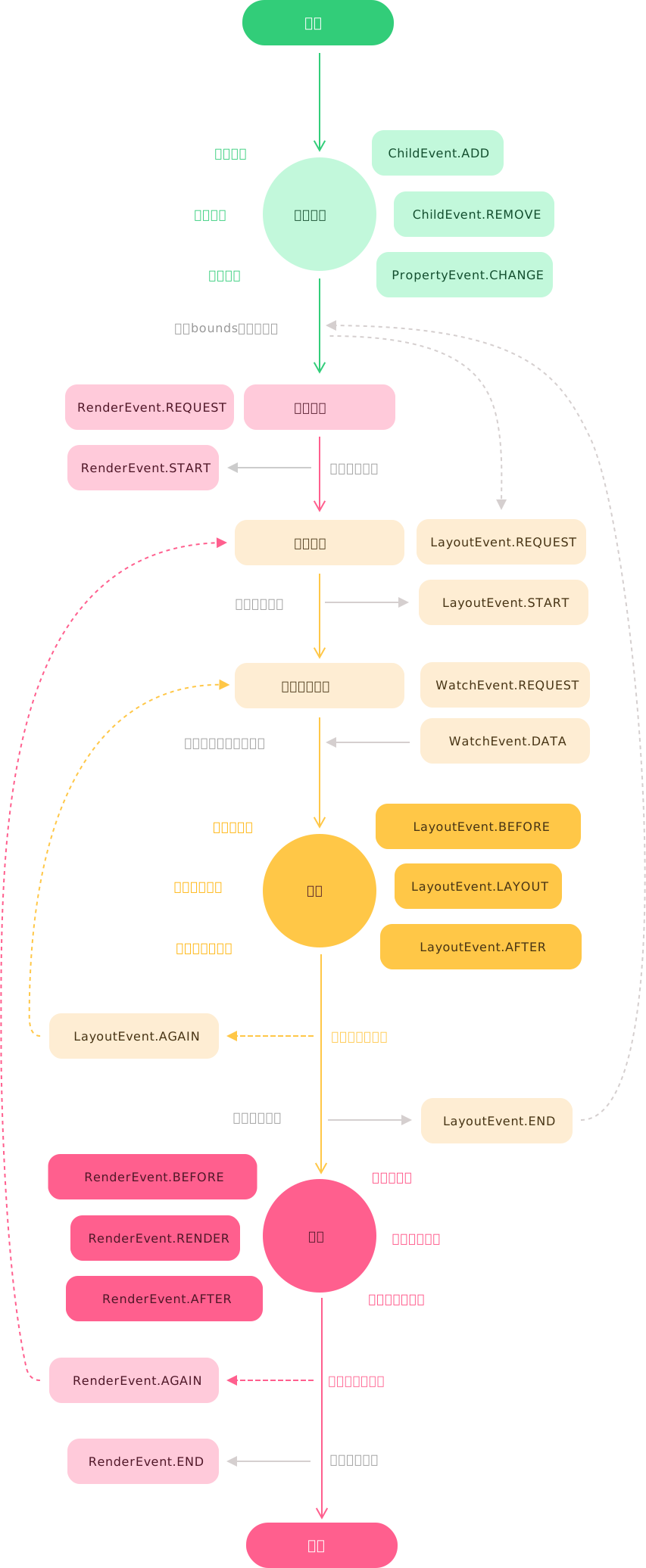
Example
Different states in the lifecycle are notified through events such as ChildEvent, PropertyEvent, WatchEvent, LayoutEvent, and RenderEvent. You can also listen to these events via the Leafer engine to implement your own product logic.
Listen to render events
ts
Congratulations 🎉
You have completed the quick start guide and can now begin exploring product development with LeaferJS.
You may continue reading:
🍉 Learn how to use applications, engines, elements, properties & methods, events, and the core library.
🍊 Discover official and community plugins that can greatly improve productivity.