
Partial Rendering
The engine improves canvas redraw efficiency through partial rendering. When there are tens of thousands of elements on a page, only the changed regions are updated.
The changed regions are formed by combining the render bounds (bounding box) of elements before and after changes.
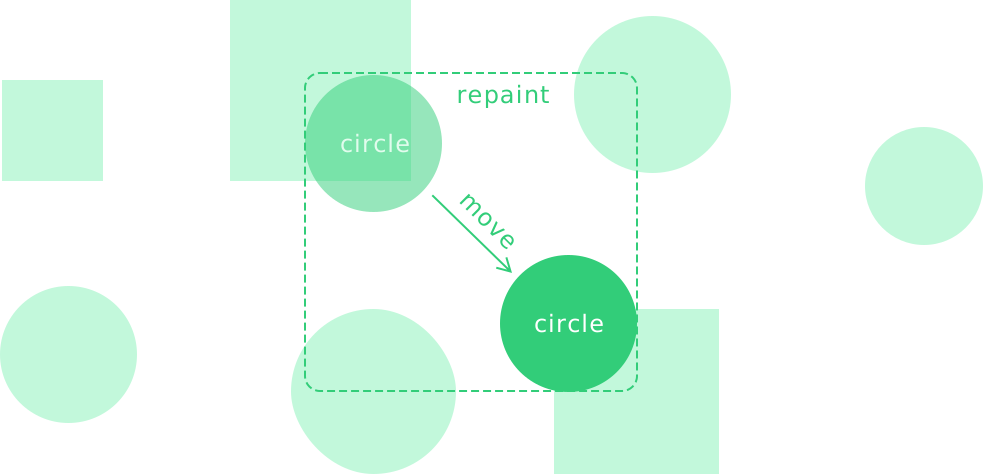
Disable partial rendering
When it is not possible to determine element bounds—such as for editing frames or background grid Leafer layers—you can disable partial rendering.
Disable partial layout
When most elements in a scene are dynamic, you can disable partial layout to prevent performance loss caused by tracking too many element changes.
Example scene: https://benchmark.leaferjs.com/leafer/?scene=dynamic
For game and industrial applications, you can further improve performance by disabling element change tracking through the trackChanges configuration, which significantly reduces performance overhead.
Next Step
Next, you will learn several important lifecycle concepts, which completes the basic introduction.