
Playground Environment
We currently provide three types of Playground environments for you to choose from.
In addition, there is also a create-leafer CLI tool, which allows you to quickly create a Vue + Leafer project, and manage, upgrade, and develop plugins efficiently.
Cloud Studio
Create your own online Playground environment, where you can run official website examples online, and save and share your projects.
TIP
With Cloud Studio, you can also share code snippets, demo projects, and mini-games, and directly pull and run your GitHub repositories.
Steps
Step 1: Go to the LeaferJS template page on Cloud Studio.
Step 2: Log in via WeChat QR code, and create your own Playground environment based on the LeaferJS template.
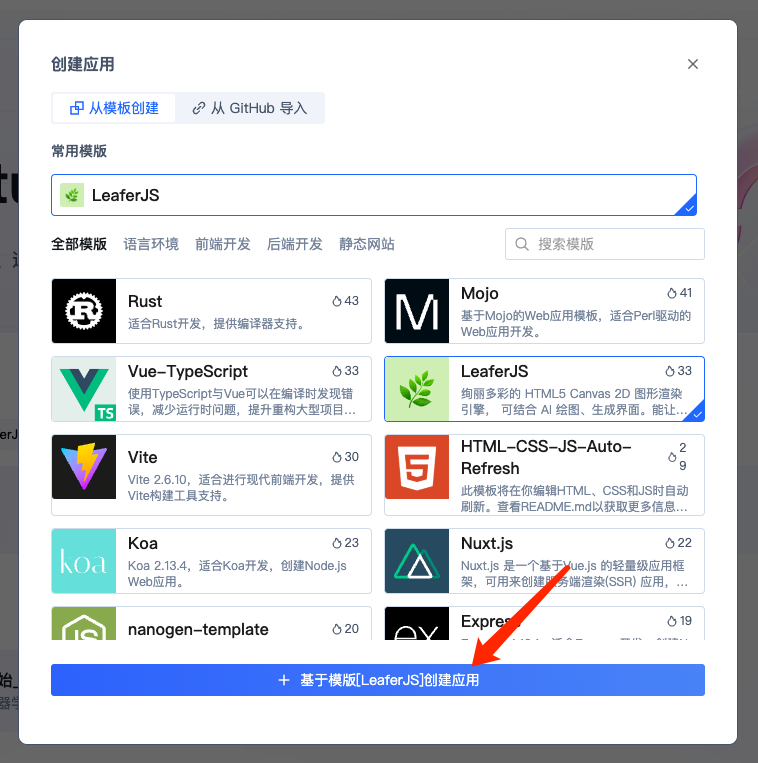
Step 3: Copy the example code from the official website into index.ts, click the run button, and view results in real time.
Official Playground
An online Playground environment for quickly running and debugging official examples. It is lightweight and stateless, with no save/share features.
https://www.leaferjs.com/playground/
Local Environment
A locally runnable Playground environment that requires cloning the GitHub repository and allows you to explore the LeaferJS source code.
Installation
git clone https://github.com/leaferjs/LeaferJS.git --recurse-submodules

cd LeaferJS

npm install
npm run startgit pull --recurse-submodulesThis will create a local LeaferJS project and automatically download sub-repositories including leafer, leafer-ui, leafer-in, leafer-draw, leafer-game, and leafer-editor into the src directory.
After installation, you can access it in your browser at: localhost:10101
Run Examples
Copy the official example code into index.ts to view results in real time.